App2Cam
Publisher Description
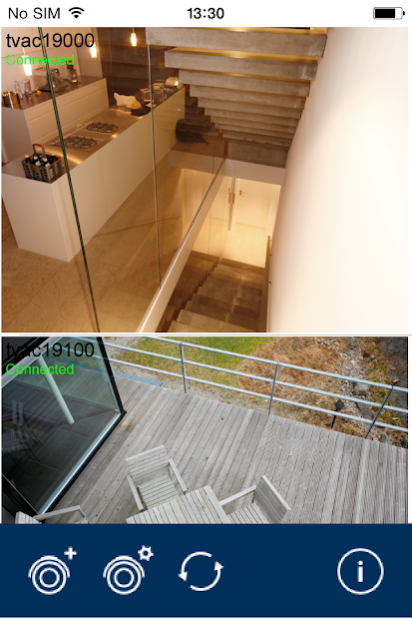
• Simple installation via WiFi and the app
• Live feed and playback of recorded data from up to eight cameras
• Event list display on your smartphone
• Notification and e-mail function
• WLAN pan/tilt camera control
• Option to store recorded videos on your smartphone
• Plug and play internet access
• The app has been optimized for smartphones and is available in 11 languages
Mobile Camera Access
You can use the App2Cam app to configure and operate your WLAN pan/tilt camera & app (TVAC19000) and WLAN outdoor camera & app (TVAC19100). You can assemble and integrate up to eight cameras, choosing from the WLAN pan/tilt camera & app and the WLAN outdoor camera & app. The App2Cam app also provides you with remote access to live video image data feeds and recorded data via internet and WiFi.
Automatic Integration Thanks to Plug and Play Internet Access
Simply locate your camera via WiFi and it will automatically be integrated into the app. Then add your home network to your settings to gain mobile access. Thanks to plug and play internet access, the camera will be active immediately without you having to adjust any further router settings, giving you flexible access to your cameras at any time, from anywhere.
Reliable Event Notification and Live Images
The notification and email function informs you instantly of every incident. You can play back the recorded data and store it on your smartphone. The fact that you can control your WLAN pan/tilt camera via the app is a particular highlight.
Store and Send Images on your Smartphone or Tablet
You can use the snapshot function to store individual images on your smartphone or tablet. The file in question is stored in an image folder, meaning it can easily be sent in an MMS or e-mail, or via messaging clients.
About App2Cam
The company that develops App2Cam is ABUS Security-Center. The latest version released by its developer is 1.0 .
To install App2Cam on your Android device, just click the green Continue To App button above to start the installation process. The app is listed on our website since 2017-04-24 and was downloaded 25 times. We have already checked if the download link is safe, however for your own protection we recommend that you scan the downloaded app with your antivirus. Your antivirus may detect the App2Cam as malware as malware if the download link to com.abus.tvac19000 is broken.
How to install App2Cam on your Android device:
- Click on the Continue To App button on our website. This will redirect you to Google Play.
- Once the App2Cam is shown in the Google Play listing of your Android device, you can start its download and installation. Tap on the Install button located below the search bar and to the right of the app icon.
- A pop-up window with the permissions required by App2Cam will be shown. Click on Accept to continue the process.
- App2Cam will be downloaded onto your device, displaying a progress. Once the download completes, the installation will start and you'll get a notification after the installation is finished.
Program Details
System requirements
Download information
Pricing
Version History
version
posted on 2017-04-24
- Playback in landscape mode works correctly now
- Deleting several files does not lead to an endless loop anymore
- Link for TVAC16000 manual added
- Adding a camera now leads correctly to the overview
- Several String-Adjustments
- The thumbnail in the overview works correct now
- General stability improvements and bug fixes
version
posted on 2016-11-26
Optimized for camera firmware 1.0.9.11.,To update the firmware for your camera, please visit our website at www.abus.com.,- Improved set-up wizard,- PDF guide replaced by links,- TVAC16000 compatibility,- Improved Liveview through Hardware acceleration (not compatible with TVAC16000),- Latest push notification links directly to the live view from the camera that it was dispatched from,- List of push notifications
